and HOT OFF THE PRESSES! NEW Pencil (Etc) Obstacle Courses!!
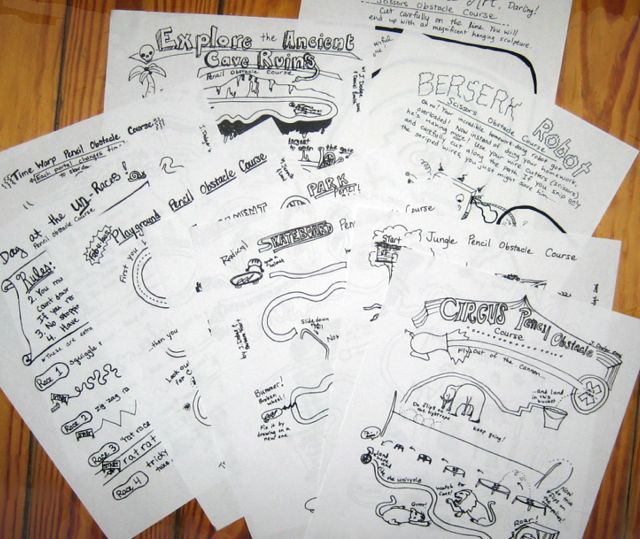
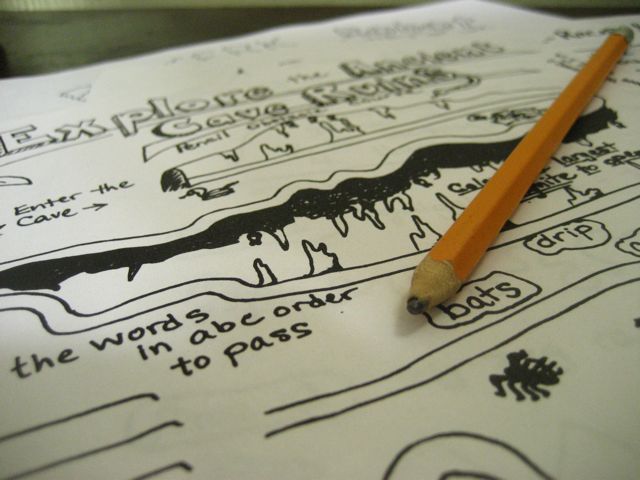

| These are available through two partners as downloads of PDF's. Each packet costs $7.50. Choose either link below to purchase through Paypal and immediately get the files. Therapy Fun Zone.com (Packet 1) and (Packet 2) OR YourTherapySource.com (Packet 1) and (Packet 2) (There are lots of other fun activity ideas and things to buy at each of these sites) Once you have the files you can print and copy them as many times as you like to use with your caseload/students/children. Please do not share the files with other adults to use, but you may send home a few with a particular student/client/child for extra practice. |
| I started making
these when I
worked at Fourt Therapy Center in Menlo Park, California. Barbara
Fourt and a couple of the other therapists started making little mazes
and "obstacle courses" for children to practice pencil skills without
the dreaded tasks of writing or coloring. Kids love them! I have made
more and more as the students I work with ask for more of them, give me
ideas for them, and as specific needs arise. I have been very pleased
with the results. Packet 1 includes:
Packet 2: This all-new set includes ideas on some different skills. For example, cutting accurate corners with scissors is a specific skill set that often needs to be taught. This packet includes a page to practice how to STOP at corners and turn the page with the other hand (Scissor Driving Exam Obstacle Course), and then a fun Secret Message page to increase the skill level with a mystery reward. Hole punching, lacing, ruler measurement, straight-edge lines and more are also included in these activities, as are themes of bugs, construction equipment, trains, BMX, and other adventures to get kiddos engaged. I have found it really amazing how
much students seem to love doing these – I think the lack of play-based
teaching in most school days make them hungry to use their imaginations
and get a little silly while working on problem-solving. And as
Occupational Therapists know, learning through challenging play is the
best learning there is!
|
Free sample: click here to download a free sample:
Circus Pencil Obstacle Course.
This file is in jpg format. If your computer doesn't automatically know how to open it, you may have to tell it. Here is a link to a site that lists programs that know how to open jpg's. Most likely, you will have Apple Preview if you are using a Mac, or on a P.C., Microsoft Photo Editor.
(Note: This web-based file is a different format from the more-common pdf files that are sold in the packets above)